Polyline
A free-form contour — a flap, a holster panel, anything more complex than a rectangle or circle. Nodes can be placed as corners or smooth points right while drawing, and the shape can always be refined later with the Nodes tool.
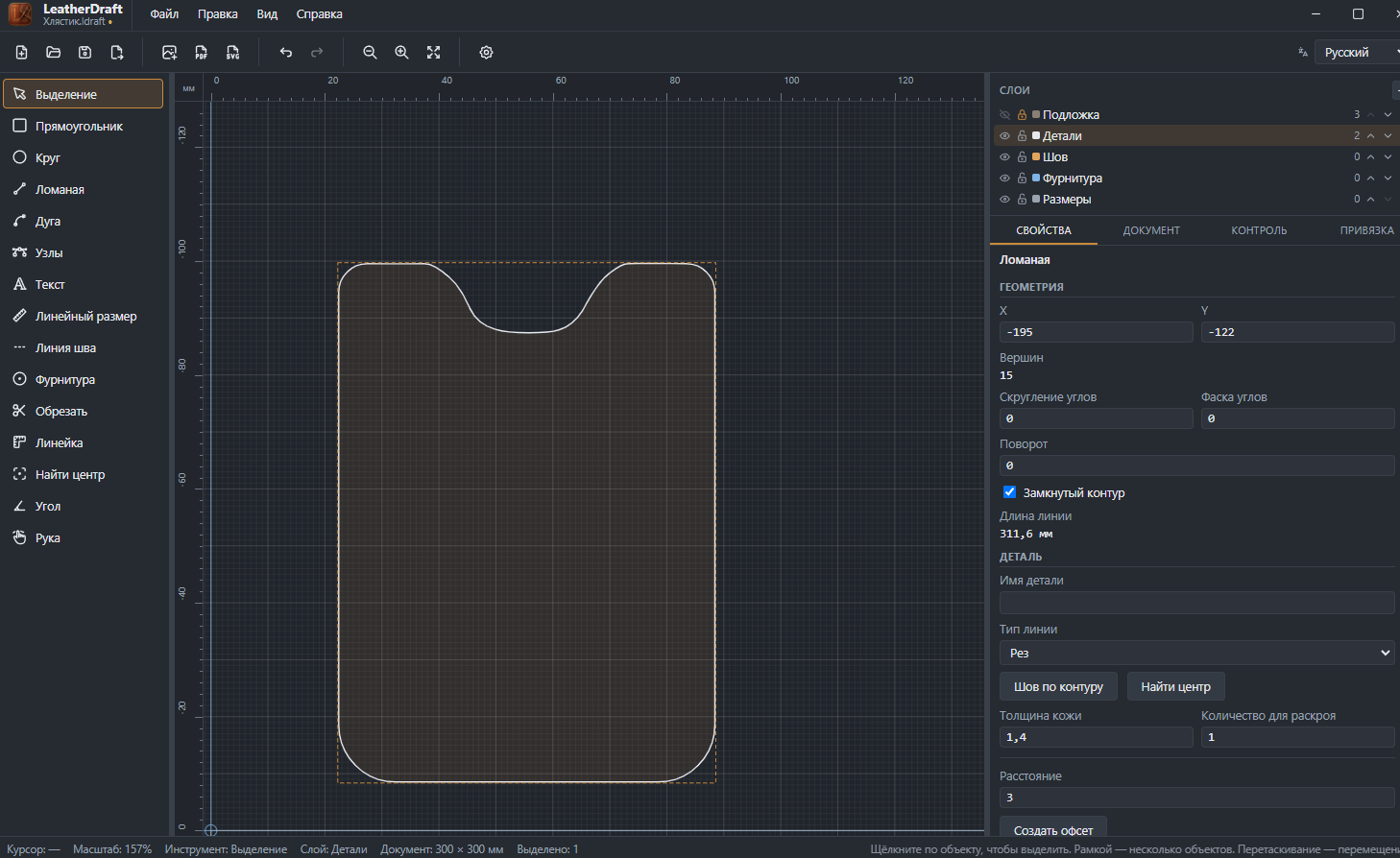
How to draw
- Click the "Polyline" button on the left panel or press
L. - Click vertices one after another — a straight line stretches between them right away.
- For a smooth node instead of a sharp corner — don't just click, but right after clicking, without releasing the mouse button, drag to the side. That produces a smooth node with a "handle" (a direction curve). That's exactly how all four rounded corners of the pocket and the smooth notch on top were made in the screenshot above — 15 vertices instead of a plain rectangle, yet none of them needed coordinates typed in by hand.
- To finish: double-click or
Enter.Esccancels the drawing,Backspaceremoves the last placed point.
The contour in the screenshot is closed — the last point is connected to the first, and the "Closed contour" checkbox in the properties is on. For an open contour (say, a fold line rather than a whole piece) — just finish with a double-click without returning to the start.
Geometry
- X, Y
- Position of the contour's anchor point (its notional top-left corner).
- Vertices
- How many nodes are in the contour — grows if you add points with the "Nodes" tool.
- Corner rounding, Corner chamfer
- Set the treatment for all corner (non-smooth) nodes of the contour at once, with a single number. Chamfer cuts the corner with a straight line instead of an arc — it's a contour shape, not thinning the leather's edge. To treat one specific corner individually, see "Corner treatment" in the Nodes article.
- Rotation
- Rotation angle for the whole contour, in degrees.
- Closed contour
- Checkbox — whether the last point connects to the first. Can be toggled on or off even after drawing.
- Line length
- Perimeter (or length, if the contour is open) — calculated automatically.
Common piece properties
The "Piece" block is the same set of fields as the rectangle and circle: line type, leather thickness and cut quantity, "Stitch along contour", "Find Center", offset with a margin. Covered in detail in the Rectangle article. A polyline has no "Convert to curve" button — it's already a curve.